How to Reset Your Password on the CoverRight® platform.
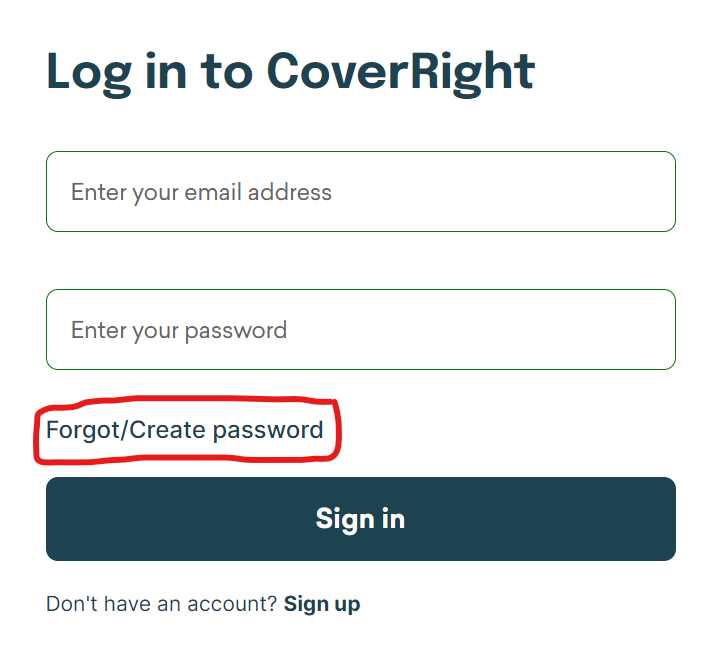
Step #1
Once you have arrived at login screen, click “Forgot/Create Password”
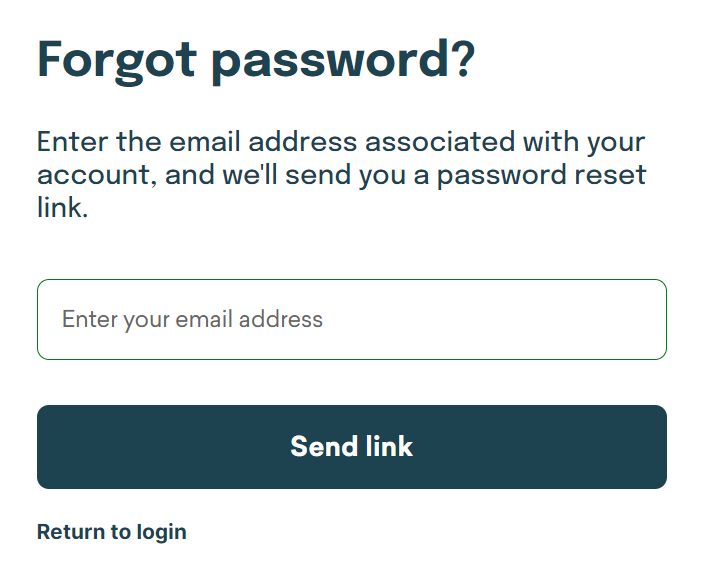
Step #2
Type in your email and click “Send Link”
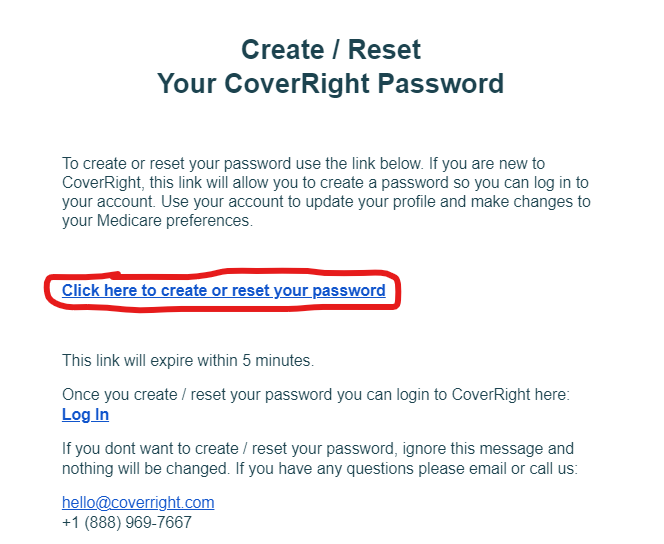
Step #3
Go to your email, open the message, and click the “Click here to create or reset your password” link (circled in red).
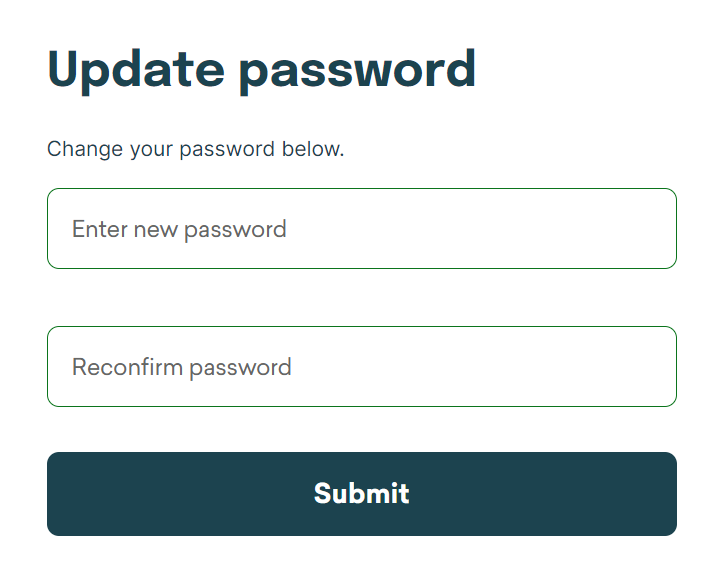
Step #4
Type in new password and click “Submit”
Now you’re good to go with your new password!

195 Broadway
4th Floor
Brooklyn, New York 11211
General Customer Support:
(888) 969-7667 | TTY: 711
Hours:
Mon-Fri 8AM-10PM (ET)
Sat-Sun 9AM-7PM
CoverRight.com is owned and operated by CoverRight Inc. Insurance agency services are provided by CoverRight Insurance Services Inc.
CoverRight Insurance Services Inc. represents Medicare Advantage HMO, PPO and PFFS organizations that have a Medicare contract. Enrollment depends on the plan's contract renewal.
We do not offer every plan available in your area. Currently we represent 37 organizations across the nation which offer 3,029 products. Please contact Medicare.gov, 1-800-MEDICARE, or your local State Health Insurance Program (SHIP) to get information on all of your options.
Not all plans offer all of these benefits. Benefits may vary by carrier and location. Limitations and exclusions may apply.
Enrollment in a plan may be limited to certain times of the year unless you qualify for a Special Enrollment Period or you are in your Medicare Initial Enrollment Period.
© Copyright 2026. CoverRight Inc. All rights reserved.
MULTIPLAN_COVERRIGHT_2027_HP_M
